
If you’re building websites with Elementor, you’ve probably noticed a big shift in how layouts are created. For years, Sections and Columns were the default. Now, Elementor is encouraging users to move to Containers, powered by Flexbox.
So the big question is: Elementor Containers vs. Sections — which should you use today?
The short answer: it depends on what you’re building. The long answer (and the smarter one) is explained below.
In this guide, you’ll learn the differences, performance impact, use cases, and Elementor’s official direction—so you can confidently choose the right layout system for your website.
What Are Sections in Elementor?
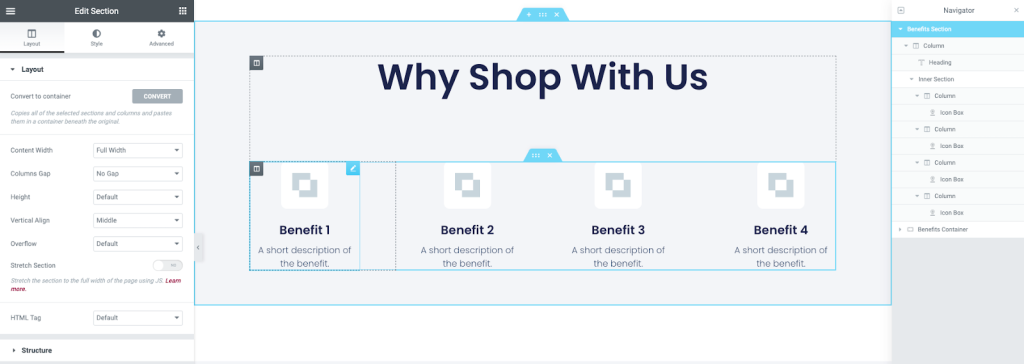
Sections are Elementor’s original layout structure. They work in a vertical hierarchy:
Section → Columns → Widgets
Each section holds one or more columns, and each column holds widgets like text, images, or buttons.
This structure made Elementor extremely beginner-friendly when it first launched. You could visually see rows and columns, which felt familiar—especially if you’d used page builders or grids before.
Pros of Using Sections
- Easy to understand for beginners
- Familiar for long-time Elementor users
- Works well for basic layouts
- Compatible with older templates and themes
Cons of Using Sections
- Creates more nested HTML elements
- Heavier DOM structure
- Slower performance compared to Containers
- Limited flexibility for advanced responsive layouts
Sections still work, but they’re no longer Elementor’s recommended approach for new builds.
What Are Containers in Elementor?
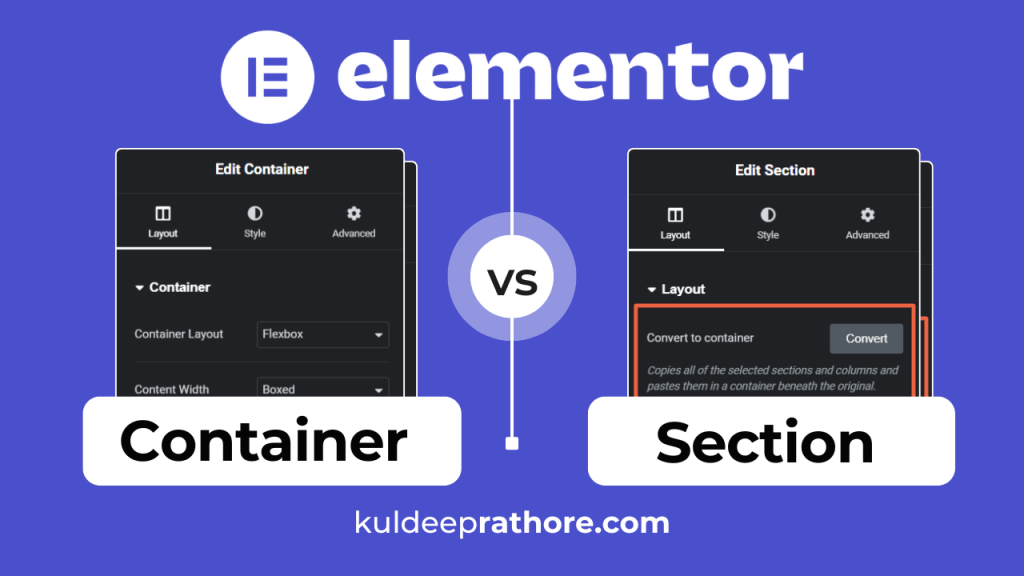
Containers are Elementor’s modern layout system, built using CSS Flexbox. Instead of rigid rows and columns, Containers allow you to control layout using flexible alignment rules.
With Containers, the structure becomes:
Container → Widgets (or nested containers)
You can control direction (row or column), alignment, spacing, wrapping, and responsiveness—all from one place.
Pros of Using Containers
- Cleaner and lighter HTML output
- Faster page load times
- Better responsiveness by default
- More control over alignment and spacing
- Ideal for modern web design
Cons of Using Containers
- Slight learning curve for beginners
- Requires understanding basic Flexbox concepts
- Can feel “technical” at first
Once learned, Containers actually simplify layout creation rather than complicate it.
Elementor Containers vs. Sections: Key Differences
Let’s break down the most important differences that affect real-world websites.
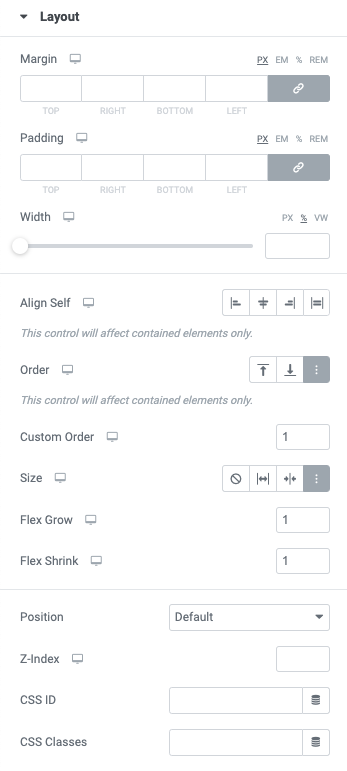
1. Layout Structure
- Sections: Section → Column → Widget
- Containers: Container → Widget (or nested container)
Containers remove unnecessary layers, making layouts more efficient.
2. Performance & Page Speed
Performance is one of the biggest reasons Elementor introduced Containers.
- Sections create more
<div>elements - Containers use fewer elements and cleaner markup
- Fewer elements = faster load times
If you care about Core Web Vitals, SEO, and mobile speed, Containers clearly win.
3. Responsiveness
Responsive design is easier with Containers because Flexbox was built for it.
With Containers, you can:
- Change direction on mobile (row → column)
- Align items vertically and horizontally
- Control spacing using gaps instead of margins
- Avoid layout breaking on smaller screens
Sections rely more on manual column width adjustments, which often leads to extra tweaking.
4. Design Flexibility
Containers allow layouts that are difficult—or messy—with Sections:
- Perfect vertical centering
- Equal-height columns
- Side-by-side content with flexible spacing
- Advanced hero sections
For modern UX-focused design, Containers are far more powerful.
When Should You Use Sections?
Even though Containers are the future, Sections still have valid use cases.
Use Sections if:
- You’re maintaining an older Elementor website
- The site already uses Sections consistently
- You’re editing legacy templates
- A client wants minimal structural changes
Switching an existing site to Containers just for the sake of it isn’t always worth the risk.
When Should You Use Containers?
Containers should be your default choice for new projects.
Use Containers if:
- You’re building a new Elementor website
- You care about performance and SEO
- You want cleaner, scalable layouts
- You design mobile-first
- You want more control with fewer elements
If you’re learning Elementor today, skipping Sections entirely and starting with Containers is a smart move.
Elementor’s Official Direction (This Matters)
Elementor has made it clear: Containers are the future.
While Sections are not removed, they are considered legacy. New features, optimizations, and performance improvements are focused on Containers.
That means:
- Containers will continue to improve
- Sections may eventually be deprecated
- Learning Containers now future-proofs your skills
If you’re a web designer or developer, this isn’t optional—it’s strategic.
Common Mistakes to Avoid with Containers
Many frustrations with Containers come from avoidable mistakes:
- Mixing Sections and Containers randomly
- Over-nesting containers unnecessarily
- Ignoring flex settings like alignment and wrap
- Using margins instead of gap controls
Keep your structure simple, and Containers become much easier to manage.
Elementor Containers vs. Sections: Quick Decision Guide
New website? → Use Containers
Existing site? → Stick with Sections unless rebuilding
Performance-focused? → Containers
Beginner learning Elementor? → Learn Containers early
Advanced layouts needed? → Containers
Final Verdict: Which Should You Use?
If you’re asking “Elementor Containers vs. Sections — which should I use?”, here’s the clear answer:
- Sections are fine for maintaining older sites
- Containers are the best choice for new builds
Containers offer better performance, cleaner code, and modern layout control. While there’s a learning curve, it’s worth the investment—and far easier than constantly fixing layout issues caused by outdated structures.
Call to Action
If you want:
- A container-based starter layout
- Help converting Sections to Containers safely
- A faster, more responsive Elementor website
Feel free to reach out—or start experimenting with Containers on a test page today.