


Introduction: Are Your WordPress Emails Going to Spam?
Did you know that WordPress doesn’t send emails reliably? If you’ve ever wondered why your website’s emails land in spam or don’t reach inboxes at all, the issue lies with the default PHP mail function. The best solution? An SMTP (Simple Mail Transfer Protocol) plugin.
But what are the best SMTP plugins for WordPress? In this post, we’ll explore top-rated options and help you choose the right one. Plus, we’ll answer common questions like what is SMTP relay and what is SMTP server address so you can better understand how email delivery works.
What Is SMTP and Why Do You Need an SMTP Plugin?
SMTP (Simple Mail Transfer Protocol) is the standard for sending emails over the internet. WordPress, by default, uses PHP mail, which lacks authentication and is often flagged as spam.
An SMTP plugin ensures your WordPress site delivers emails reliably by routing them through an authenticated mail server instead of using PHP mail. This improves email deliverability, prevents emails from going to spam, and adds encryption for security.
Best SMTP Plugins for WordPress (Top Picks)
Here are the best SMTP plugins to ensure your WordPress emails reach their destination:

1. WP Mail SMTP by WPForms
Best for: Reliable email delivery with easy setup.
Features:
- Supports popular SMTP services (Gmail, Outlook, SendGrid, Mailgun, Amazon SES, etc.)
- Easy-to-use setup wizard
- Email logging and error tracking
- White glove setup service (Pro version)
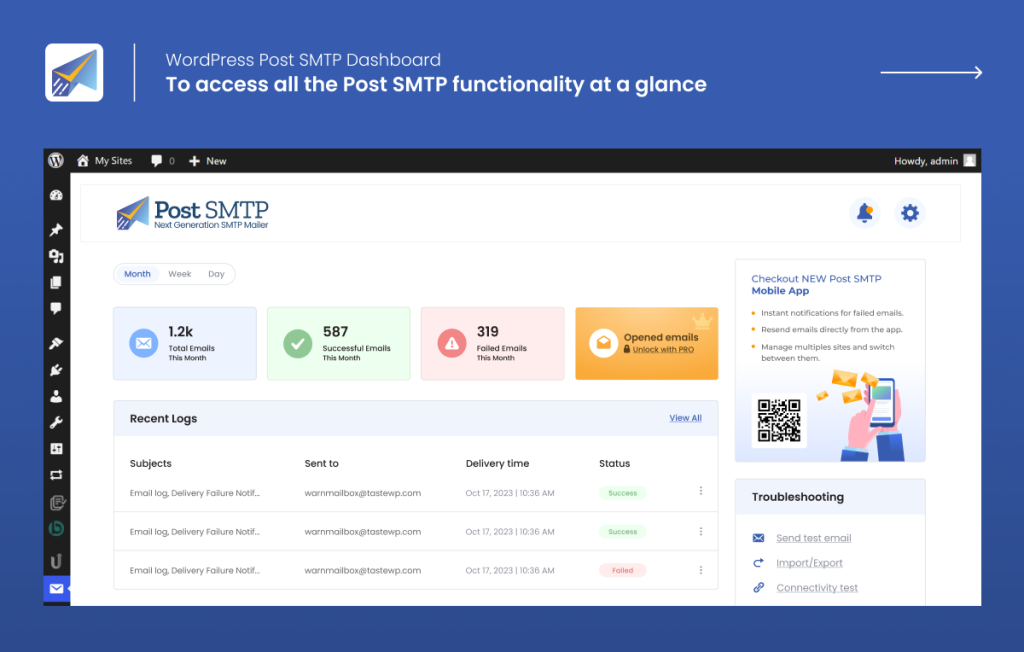
2. Post SMTP Mailer/Email Log
Best for: Advanced debugging and troubleshooting.
Features:
- OAuth 2.0 authentication for Gmail and Microsoft 365
- Built-in email log for tracking messages
- Supports third-party SMTP services
- Notification alerts for email failures

3. Easy WP SMTP
Best for: Simple, lightweight SMTP integration.
Features:
- Connects to any SMTP server (Gmail, Yahoo, Office 365, etc.)
- Basic authentication and encryption settings
- Debugging option to test emails
- No unnecessary bloat

4. FluentSMTP
Best for: Free, full-featured SMTP plugin with unlimited emails.
Features:
- Supports Amazon SES, Mailgun, SendGrid, and more
- Email logging and reports
- Background email processing for better performance
- No premium upgrades needed (fully free!)

5. SMTP Mailer
Best for: Developers and minimalistic users.
Features:
- Simple SMTP configuration for WordPress emails
- Compatible with all SMTP services
- No unnecessary features
- Lightweight and fast
What Is SMTP Relay and SMTP Server Address?
What Is SMTP Relay?
SMTP relay is the process of transferring emails from one mail server to another until they reach the recipient. SMTP plugins use relays to send emails through authenticated mail servers, ensuring messages are delivered properly.
What Is SMTP Server Address?
The SMTP server address is the hostname of the mail server responsible for handling outgoing emails. Examples:
- Gmail SMTP:
smtp.gmail.com - Outlook SMTP:
smtp.office365.com - SendGrid SMTP:
smtp.sendgrid.net
Most SMTP plugins require you to enter this address along with authentication credentials to function properly.
How to Choose the Best SMTP Plugin for WordPress

Consider the following when choosing an SMTP plugin:
- Ease of Setup: Look for plugins with a setup wizard.
- SMTP Provider Support: Ensure it supports your preferred email service (e.g., Gmail, SendGrid, Mailgun).
- Security Features: Choose a plugin with encryption (SSL/TLS) and authentication support.
- Email Logs: Helps track sent emails and troubleshoot issues.
- Performance: Lightweight plugins prevent site slowdowns.