
Did you know that integrating a payment system into your website can significantly boost sales and improve customer satisfaction? For instance, businesses that streamline their checkout processes see up to a 35% increase in conversions, as reported by the Baymard Institute (source).?
Whether you run a small online store or a growing e-commerce platform, a seamless payment process is crucial to your success. In this guide, we’ll walk you through the steps of how to integrate payment systems into your website while optimizing for user experience and security. Let’s dive in!

Why Payment Integration Matters
Imagine visiting a website, finding the perfect product, and then being unable to complete your purchase due to a frustrating or unreliable payment process. Chances are, you’d abandon your cart and look elsewhere.
According to a recent study by Baymard Institute, over 70% of online shoppers abandon their carts due to a poor checkout experience (source).
By integrating a reliable payment system, you:
- Build trust with your customers.
- Reduce cart abandonment rates.
- Enable secure transactions, protecting both you and your customers.
- Expand your reach by offering multiple payment options like credit cards, PayPal, and digital wallets.
Step 1: Choose the Right Payment Gateway
A payment gateway acts as a bridge between your website and the bank, securely processing payments. Choosing the right payment gateway is the foundation of a smooth checkout experience. Here are some popular options:
- PayPal – A globally recognized option with seamless integration for websites.
- Stripe – Offers a customizable solution, perfect for developers.
- Square – Excellent for small businesses with both online and offline needs.
- Authorize.net – A trusted option for secure and straightforward transactions.
Pro Tip: When selecting a payment gateway, consider transaction fees, supported currencies, and compatibility with your platform.
Step 2: Ensure Website Compatibility
Before you integrate a payment system, check if your website platform supports your chosen gateway. Popular platforms like WordPress, Shopify, and Wix often have plugins or built-in features that simplify the process.
For example:
- WordPress users can install plugins like WooCommerce or Easy Digital Downloads to add payment gateways.
- Shopify offers direct integrations with major gateways such as PayPal and Stripe.
- Wix users can enable the “Wix Payments” feature for built-in solutions.
If you’re building a custom website, work with your developer to ensure the payment API (Application Programming Interface) is properly integrated.
Step 3: Prioritize Security
Online security is non-negotiable when it comes to payments. Customers need assurance that their sensitive data is safe. Here’s how to boost security:
- Install an SSL Certificate: Encrypt sensitive information by enabling HTTPS on your website. This reassures customers their data is protected during transactions.
- Use PCI-Compliant Gateways: Ensure your payment gateway meets Payment Card Industry Data Security Standards (PCI DSS).
- Enable Two-Factor Authentication (2FA): Add an extra layer of protection for account access.
- Display Security Badges: Visible security logos build customer confidence and reduce doubts about sharing financial details.
Step 4: Design a User-Friendly Checkout Process
A well-designed checkout page can make or break your customer’s purchasing journey. Here are some tips to optimize your checkout process:
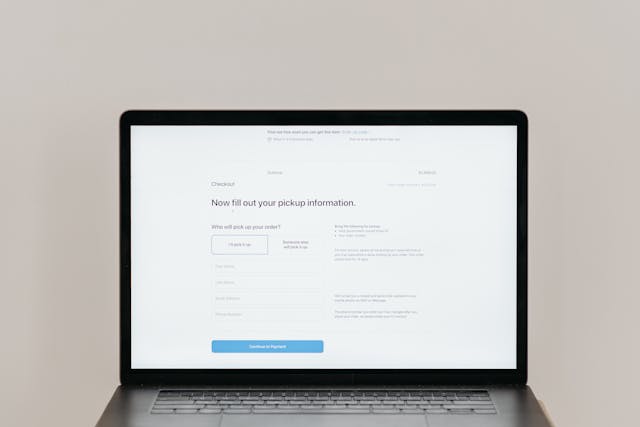
- Keep It Simple: Limit the number of steps and fields customers need to fill out.
- Offer Multiple Payment Options: Include popular methods like credit cards, PayPal, Apple Pay, and Google Pay.
- Provide a Guest Checkout Option: Don’t force users to create an account.
- Add a Progress Bar: Show users where they are in the checkout process.
- Optimize for Mobile Devices: With the rise of mobile commerce, ensure your checkout page is responsive and fast-loading.
Step 5: Test the Integration
Before launching your payment system, thoroughly test its functionality. Here’s a checklist to follow:
- Test Transactions: Ensure payments go through without errors.
- Verify Refunds and Cancellations: Check how easily customers can request and process refunds.
- Simulate Different Payment Methods: Test credit cards, digital wallets, and other options.
- Check Error Messages: Ensure error prompts are clear and helpful if something goes wrong.
Invite friends or colleagues to test the payment process from a customer’s perspective. Their feedback can help you refine the experience.
Step 6: Monitor and Optimize Performance
Once your payment system is live, continuous monitoring is essential. Use analytics tools to track:
- Conversion Rates: Are visitors completing their purchases?
- Drop-off Points: Identify where users abandon the process.
- Transaction Errors: Detect and resolve any recurring issues.
Make adjustments based on these insights. For instance, if you notice a high cart abandonment rate, consider adding trust signals like money-back guarantees or live chat support during checkout.
Authoritative Resources for Payment Integration
For more details on payment integration and best practices, check out these trusted resources:
- PayPal Developer: This resource offers detailed guides, API references, and tools to help you seamlessly integrate PayPal into your website, whether you’re a developer or a business owner. Offers detailed API documentation, sample code, and integration guides for customizing your PayPal payment experience.: Comprehensive guides for PayPal integration.
- Stripe Documentation: Step-by-step tutorials for Stripe.
- PCI DSS Compliance Guide: Learn about securing online transactions.
Conclusion: Seamless Payments, Happy Customers
Integrating a payment system into your website doesn’t have to be daunting. By following these steps, you can create a secure, user-friendly checkout experience that boosts customer trust and increases conversions.
Ready to take your website to the next level? Begin by exploring top payment gateways like PayPal or Stripe, and download our free checklist for designing an intuitive checkout process.
Need help with integration or optimizing your website? Contact us today for expert support.
Don’t let complicated payment processes hinder your sales. With a seamless payment system, you can boost customer trust, reduce cart abandonment, and drive more sales. Let us help you achieve these results today. Get in touch now to learn more!